
.svg)
It is possible to deliver complete corporate training directly inside Microsoft Teams, without adding a separate platform, a separate login, or a separate notification system. An LMS built natively for Microsoft 365 can publish courses, send reminders and track completion entirely within the tools employees already use every day.
This article explains how Microsoft Teams training works in practice with a native LMS, covering single sign-on, notifications, SharePoint distribution for employees without individual M365 licences, analytics capabilities and data governance. It also explains why this integration consistently outperforms standalone platforms on adoption, and what concretely changes for the people responsible for managing training within the organisation.
The starting point is a question that many HR and IT managers ask when evaluating new training tools: why do employees actually use some platforms and ignore others? The answer almost never comes down to features. It comes down to friction. Every step between an employee and a training module is a potential drop-off point. The native Microsoft Teams training approach is designed to eliminate those steps entirely.
Microsoft Teams Training: The Core Advantages of Native Integration
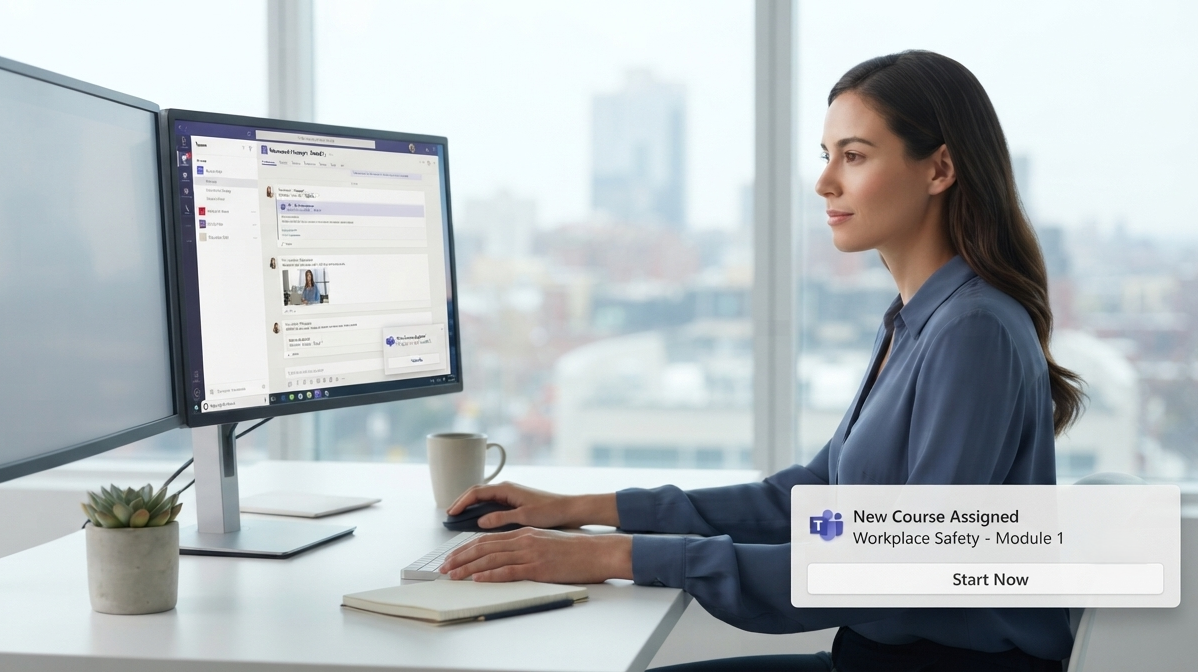
A native integration enables Microsoft Teams training and Microsoft 365 employee training by eliminating the switch to any separate tool. Instead of asking employees to access a different portal, courses, notifications and progress tracking all happen inside the Teams interface they already open dozens of times a day for chat and meetings.
This is the decisive factor for those evaluating Microsoft Teams training: native integration, zero friction by design, maximum completion rates. It is also the argument that tends to close the evaluation for IT Directors who have lived through a previous LMS rollout that failed not because the platform was bad, but because no one used it.
The main advantages of Microsoft 365 employee training managed directly in Teams are:
- Single Sign-On (SSO): Authentication happens through Azure Active Directory using existing corporate credentials. No separate password needs to be created, managed or reset. For employees it is transparent; for IT it eliminates an entire category of helpdesk requests. Organisations that have measured this effect report a meaningful reduction in access-related support tickets in the first weeks after deployment.
- Native Teams notifications: Course reminders and updates are delivered as Teams notifications, the same channel employees already check for messages and meeting invites. Context changes the perception of urgency: a Teams notification arrives during an active work moment, not in an email inbox to be processed in bulk at the end of the day.
- SharePoint distribution for users without licences: Through SharePoint, training can be delivered to employees without an individual M365 licence, including on mobile devices. This is essential for operational staff: warehouse workers, drivers, production line operators. For organisations with a mixed workforce, this single capability changes the economics of the entire training programme.
- Automatic org chart synchronisation: When a new employee is added to Azure Active Directory, they automatically receive the training path assigned to their role. When someone changes department, their learning path updates accordingly. No manual intervention required, no risk of someone starting a new role without the required training.
Why Teams Notifications Increase Completion Rates
One of the recurring questions when evaluating an LMS for Microsoft Teams training is: does it really make a difference to receive the notification in Teams rather than by email? The answer is yes, and the reason is structural.
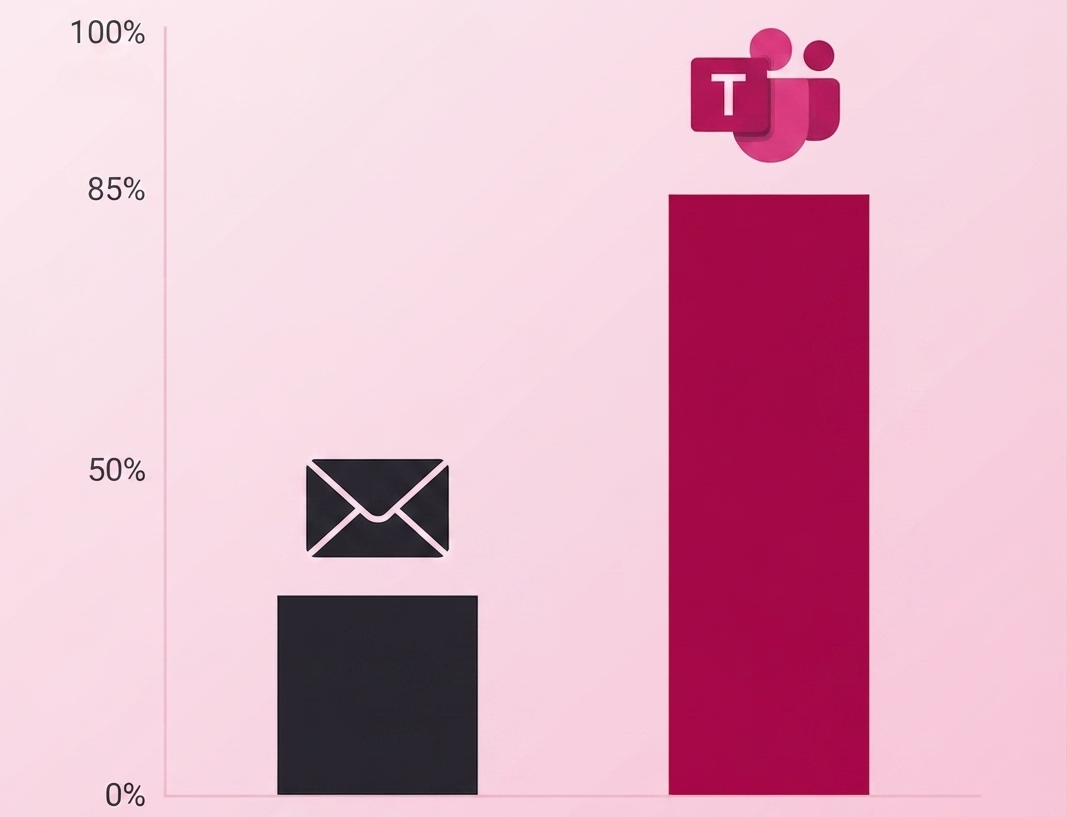
Training reminder emails are perceived as low-priority communications, often filtered automatically or archived without being read. Teams notifications arrive in the same environment where the employee is already working. The data is significant: 89% of Teams users open a notification within one hour, compared to 23% for email. For mandatory training with defined deadlines, this difference translates directly into fewer manual follow-ups, fewer delays and fewer HR hours spent chasing completions.
Notifications can also go beyond a generic reminder.
A well-configured system does not simply tell the employee "you have a course to complete": it points to the exact lesson where they left off, making it as easy as possible to pick up where they stopped. This level of personalisation actively increases the number of active learners on the platform and keeps the completion rate above average over time.
The cumulative effect matters. In organisations where training is managed via email reminders, it is common to see completion rates hover between 30% and 50% even for mandatory courses. With Teams-native delivery, the same courses regularly reach 70-85% completion without additional manual intervention. The difference is entirely down to channel and context, not content quality.
Organisational Chart Synchronisation
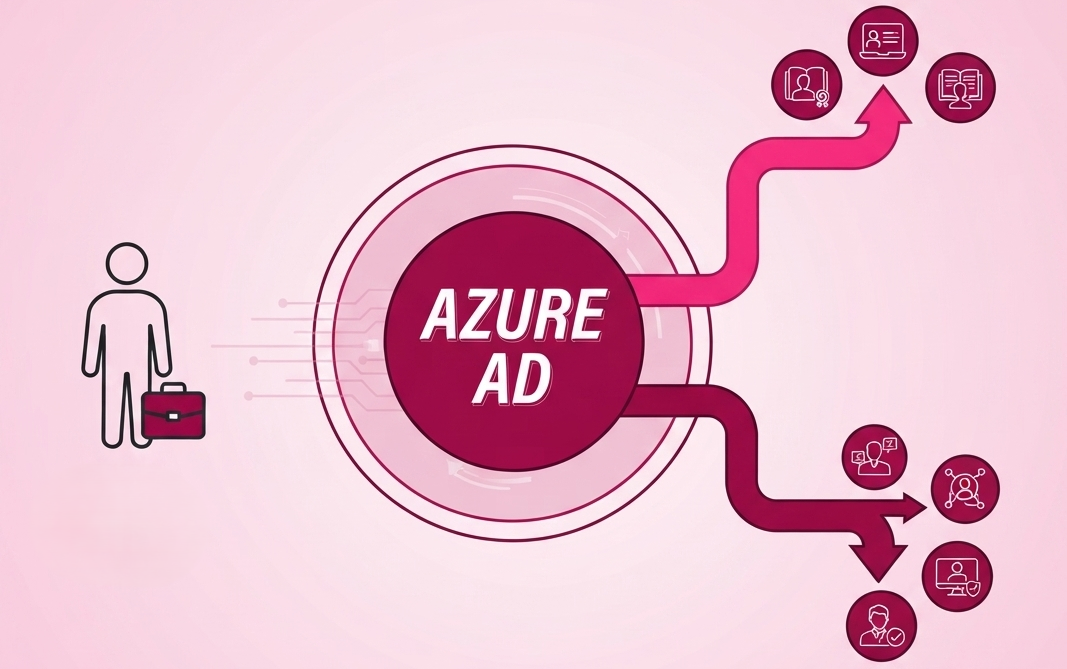
One aspect of the Microsoft 365 integration that significantly affects the daily management of the LMS platform is the automatic synchronisation with the organisational chart through Azure Active Directory.
In a traditional LMS, every time an employee joins or leaves the organisation, or changes team or role, someone has to manually update the user groups in the platform. In organisations with high turnover or frequent reorganisations, this manual work becomes an operational risk: employees who changed roles but were never updated in the system, onboarding cohorts that did not receive the right courses, or former employees whose access was not revoked promptly.
With an LMS integrated into Microsoft 365, this synchronisation happens automatically. New hires find their onboarding courses already assigned to their profile on day one, and employees who change department automatically receive the training required for their new role. The learning path follows the person, not the other way around.
For HR teams managing training at scale, this automation is not a minor convenience. It eliminates an entire category of administrative work that typically falls between HR, IT and line managers with no clear owner. When the organisational structure changes, the training assignments change with it, immediately and without anyone having to coordinate across departments.
Analytics and Tracking Within the Microsoft Perimeter
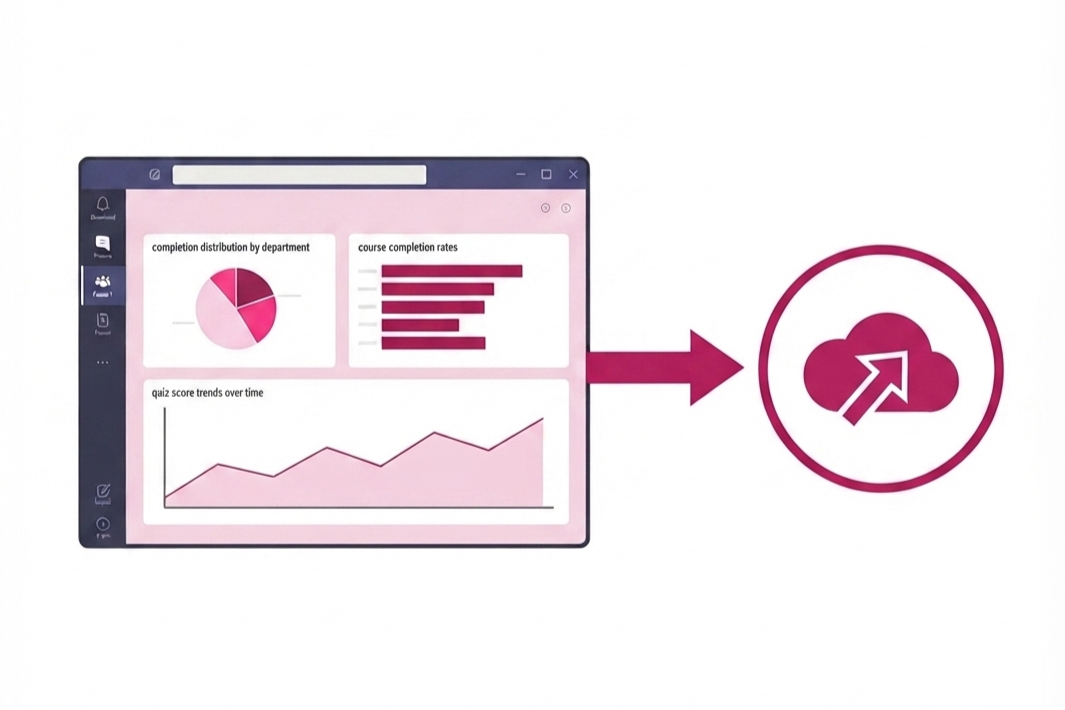
A native LMS for Microsoft Teams training produces completion data that stays within the Microsoft perimeter. Training managers can access reports directly, without exporting data to external systems.
Available metrics include the completion rate per course and per user, average time spent completing each lesson, quiz results with trends over time, and the distribution of completions by department or location.
These data points serve two distinct purposes.
The first is compliance: for mandatory training in regulated environments, the ability to generate a verifiable report of who completed what, when, and with what result, is not optional. An audit that asks for proof of training compliance needs a system that can produce that evidence in minutes, not hours of manual data collection.
The second purpose is programme optimisation: a module with a persistently low completion rate or quiz scores consistently below the threshold signals a problem worth investigating. The content may be unclear, the module may be too long, or the topic may not be perceived as relevant to the role. Having this data in real time allows the training team to intervene before the problem becomes entrenched across the organisation.
Governance and Security Within the Microsoft Perimeter
For organisations with stringent data governance requirements, a native LMS for Microsoft 365 offers an advantage that goes beyond interface convenience. Training data stays within the organisation's Azure perimeter.
Operating entirely within the client's Azure infrastructure means GDPR compliance by design and ISO 27001 certification on the underlying infrastructure. This eliminates the need to assess whether an external platform meets corporate security requirements, and simplifies access management through the existing Azure AD policies.
For Microsoft Teams training in regulated sectors, this is a compliance requirement that many European organisations cannot ignore, particularly in pharmaceuticals, finance and the public sector. Access security inherits the corporate policies already active in Azure AD: multi-factor authentication, conditional access, centralised permissions management.
For IT teams who need to justify the adoption of a new tool to the CISO or DPO, the fact that training data never leaves the Microsoft perimeter is often the argument that closes the evaluation. There is no third-party data processor to assess, no additional GDPR transfer mechanisms to configure, no separate security audit to commission. The infrastructure that has already been validated for sensitive business data extends naturally to the training platform.

The Licence Problem: Training Those Without Individual M365 Licences
One of the most common obstacles to adopting digital training tools in organisations with a mixed workforce is the question of licences.
A warehouse worker or production line operator does not necessarily hold an individual Microsoft 365 licence, and requiring one just to access a training course can be financially unsustainable at scale.
To put a number on it: a Microsoft 365 Business Basic licence costs approximately €5-6 per user per month. For an organisation with 300 operational employees who do not otherwise use Microsoft tools, enabling training access through individual licences would add over €18,000 per year to the programme cost, before a single course has been created.
SharePoint integration resolves this: the employee receives a link, opens it on their phone and completes the module without installing any app or creating any account.
Completion is tracked in exactly the same way as for fully licensed users. This has a direct impact on the cost of the Microsoft Teams training programme. Instead of purchasing additional licences for all operational staff, the organisation covers this group through a single flat-rate annual subscription.
For sectors like logistics, manufacturing, retail and construction, where operational staff often outnumber office workers, this capability changes the feasibility of a company-wide training programme entirely. Training that was previously restricted to employees with a corporate laptop can now reach everyone, on the device they already carry.

How the Integration Works: From Document to Course on Teams
An LMS for Microsoft Teams training does not require an IT project to get running: installation takes less than a day. This is possible because the platform does not need to build a separate authentication system, configure a new user directory, or set up dedicated server infrastructure. It connects to what is already there.
The operational workflow is straightforward:
- Upload an existing document: a manual, policy or procedure in PDF or Word format.
- The AI processes the document and generates the course: structures the lessons, creates the quizzes, produces the voiceover.
- The course is published for Microsoft Teams training with a single click.
- Employees receive the Teams notification and access it with their corporate credentials.
- Completions are automatically tracked in the dashboard.
When a source document changes, the corresponding lesson can be updated immediately. There is no need to notify IT, wait for a release cycle, or open a new brief with an agency. The update goes live the next time an employee opens the course.
The single most reliable predictor of whether a training programme gets used is how much friction stands between the employee and the first lesson. A separate platform, however well designed, introduces friction: a new URL to remember, new credentials, a new interface to learn.
A Teams-native approach removes nearly all of that friction by design. The training arrives where the work already happens.
Standalone LMS vs Native Microsoft Teams Training
FAQ
Do employees need a separate login for Microsoft Teams training?
No. With single sign-on through Azure Active Directory, employees use their existing Microsoft 365 credentials without creating or managing additional passwords. Access to training is transparent: same account, same environment. For employees who rarely interact with learning systems, removing the login barrier is often the difference between completing a course and never starting it.
Can employees without a Microsoft 365 licence follow courses?
Yes. Through SharePoint integration, training can be delivered to employees without an individual M365 licence, including on smartphones. Completion is tracked in exactly the same way as for fully licensed users. This makes it possible to run a single, unified training programme for the entire workforce, regardless of whether individual employees hold Microsoft licences.
How does organisational chart synchronisation work?
Through Azure Active Directory, the platform automatically synchronises groups and roles with the existing organisational structure. New hires find their onboarding courses assigned from day one; those changing role automatically receive the updated learning path, without any manual intervention from HR or IT.
Does completion data stay within the corporate perimeter?
Yes. A native LMS for M365 operates within the client's Azure infrastructure, with data held in European datacentres and GDPR compliance by design. Completion reports are accessible directly, without exporting data to external systems. For organisations subject to data residency requirements, this is a prerequisite, not a preference.
Why do Teams notifications outperform email for training?
Because they arrive in the employee's active work context, not in an email inbox perceived as low priority. 89% of Teams users open a notification within one hour, versus 23% for email. For mandatory training with deadlines, this difference translates directly into higher completion rates without additional manual chasing from HR.
How long does it take to install an LMS integrated in Teams?
Less than one day. It does not require a dedicated IT project: it uses the existing Azure AD authentication, synchronises the org chart automatically, and does not need a separate server infrastructure. The longest part of the deployment is typically configuring the learning paths, not the technical setup.


Book a free demo
See how Microlearning365 turns your documents into professional courses in minutes.


.svg)